





- Why Choosing the Right Headset for Meetings Matters
- Common Problems with In-Ear Headsets for Work Calls
- What to Look for in the Best Headset for Meetings
- Open-Ear Headsets Explained: Why They Fit Meeting Communication
- Meet Shokz OpenMeet and OpenComm 2: Built for Better Work Communication
- Final Recommendation: The Best Headset for Meetings Is the One That Fits Your Workday
- FAQs
The time many office workers spend on work calls and meetings now rivals the time spent on actual work. Having the right headset for meetings that deliver on all fronts can make this part of your work life a lot more productive.
Most people never choose one deliberately. They use the earbuds that came with their phone, or a pair bought for the gym, and put up with aching ears and colleagues asking them to repeat themselves.
We’ll explain why standard earbuds fall short on work calls, what to look for instead, and why more people are leaning towards open-ear designs for meetings in this article.

Why Choosing the Right Headset for Meetings Matters
Meetings Are Longer, More Frequent, and More Hybrid
Hybrid working has made video calls the default way teams talk, and those calls typically come up frequently throughout the day. This also means the call can catch you anywhere, in a busy work hub, at home with your children playing in the background, or on a train. Your headset has to perform in all of those places, for hours at a time, without wearing your ears out.
A Good Meeting Headset Should Help Both Sides Hear Better
It's easy to judge a headset on what you hear and forget what people on the other side hear. A proper headset for meetings delivers speech to you clearly at low, comfortable volumes, and it isolates your voice from the noise around you. If a headset only manages one of those, it isn't fit for meetings.
Common Problems with In-Ear Headsets for Work Calls
Ear Fatigue During Back-to-Back Meetings
Silicone tips seal against the walls of your ear canal, and that pressure has a time limit. After a few hours on call, many people start experiencing ear fatigue. The discomfort may continue through the day, causing pain and itching in the ears.
Losing Awareness of Your Surroundings
In-ear earbuds seal your ears and cut you off from the room, and this can work against you during the working day. You miss things in your surroundings that need your attention, like the doorbell or your colleague standing over your shoulders.
The "Blocked Ear" Feeling When You Speak
Your voice changes when you seal both ears. It resonates inside your head, like talking with your fingers in your ears. Audiologists call this the occlusion effect, and it's why people wearing earbuds often end up talking too loudly without realising.
On a call where you're presenting for twenty minutes, that distorted feedback can be tiring. You never quite trust how you sound, so you never relax.
Earbuds Built for Music Are Not Always Built for Meetings
Consumer earbuds are tuned for playback first. They produce rich bass, punchy sound, noise cancelling for the commute. The microphones in these earbuds are typically not fit for meetings.
Battery design follows the same logic. Many true wireless earbuds manage four to six hours per charge, which might be suitable for a commute and a workout but not for work meetings that run almost throughout the day.

What to Look for in the Best Headset for Meetings
All-Day Comfort
Comfort is a top priority if you’ll be in meetings for hours in a day. Look for low weight, an adjustable fit, soft contact points, and ideally a design that leaves your ear canals alone entirely. If you're noticing a headset by the second hour, it has already failed.
Clear Microphone Pickup
Prioritise a headset with dedicated noise-cancelling microphones and digital signal processing, which separate your voice from keyboards, traffic, and the noise in your background. Your colleagues should hear you, and nothing else.
Stable Wireless Connection
You need a wireless headset with mic for work so that you don’t have to worry about dragging wires with you as you move around. Look for a recent Bluetooth version, a stated range of around 30 metres, and multipoint pairing so the headset can stay connected to your laptop and phone at the same time. For desk setups, a USB wireless adapter usually gives a steadier connection than a laptop's built-in Bluetooth.
Situational Awareness
If you work around other people, total isolation is a liability. Being able to hear a knock, a colleague, or a station announcement mid-call keeps you functional in the real world. Some of the best meeting headsets are designed to leave your ears open for exactly this reason.
Battery Life and Quick Charging
A meeting headset should outlast your longest working day with room to spare. Look for talk time in the 14 to 16 hour range rather than the 4 to 6 hours common in music earbuds, plus a quick-charge feature that turns five minutes on a cable into a couple of hours of calls when you've cut it fine before a morning meeting.
Open-Ear Headsets Explained: Why They Fit Meeting Communication
Open-ear headsets deliver sound while leaving your ear canals completely open. Some rest small speakers just outside the ear. Others, including the Shokz communication range, use bone conduction, sending gentle vibrations through your cheekbones so audio reaches your inner ear while your ears stay free.
This solves many of the problems with in-ear earbuds at once. Nothing seals or presses inside the ear, so the fatigue problem largely disappears. Your ears stay open, so you keep your awareness of the room. And because nothing is blocked, your own voice sounds natural when you speak: no occlusion, no talking too loudly at your laptop.
The honest trade-off is isolation. An open design lets the world in, and at high volumes a little sound leakage out is possible, although modern designs counter it well. In a truly loud environment, sealed noise-cancelling headphones still block more. For the kitchen tables, home offices, and open-plan floors where most meetings actually happen, open ears are the more practical choice.
Meet Shokz OpenMeet and OpenComm 2: Built for Better Work Communication
Shokz builds its communication headsets around exactly this open-ear principle, with two models aimed at two kinds of workday.
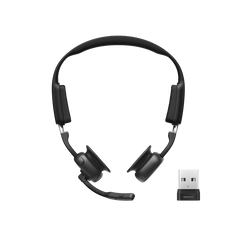
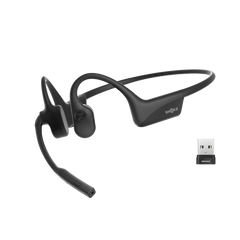
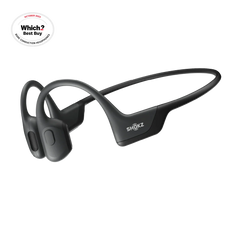
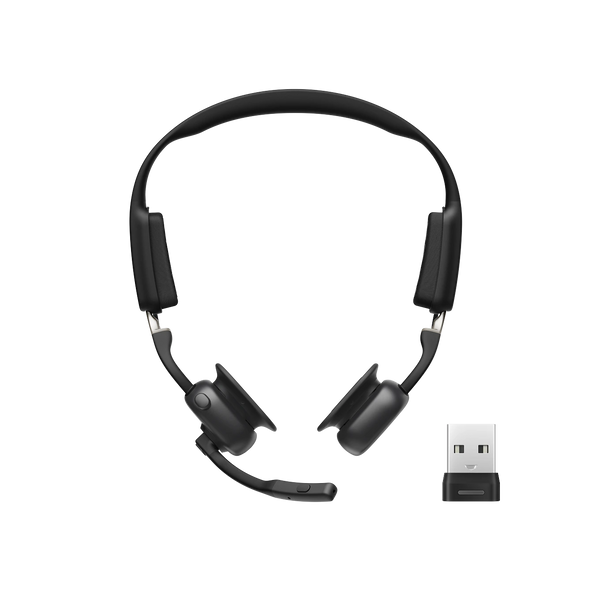
The Shokz OpenMeet is the dedicated meeting headset of the pair, and a CES Innovation Award 2025 winner. At 78g, with an adjustable headband and pressure-relief cushions in three sizes, it's designed to be forgotten about by the afternoon. DualPitch™ technology pairs a bone conduction unit with an air conduction speaker for full, natural sound, while LeakSlayer™ 3.0 keeps what you're hearing private in a shared office. On the outgoing side, a dual-microphone system with Qualcomm cVc noise reduction removes up to 98.6% of background noise in Shokz lab testing, so your voice arrives clean even when your surroundings aren't.


Key features:
- DualPitch™ bone and air conduction for rich, natural meeting audio
- Dual-mic system with Qualcomm cVc, reducing up to 98.6% of background noise
- LeakSlayer™ 3.0 technology to minimise sound leakage
- Up to 15 hours of listening and 14 hours of talk time per charge
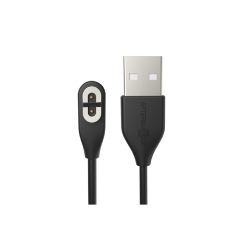
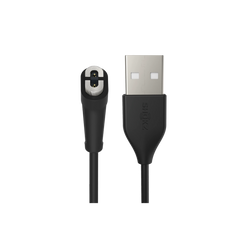
- 5-minute quick charge for around 2 hours of talk time, and it works while plugged in
- Bluetooth 5.4 with a 30-metre range and multipoint pairing for two devices
- Dedicated call, mute, and multifunction controls with a built-in Busylight
- 78g weight with three cushion sizes for long-session comfort
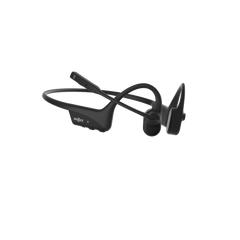
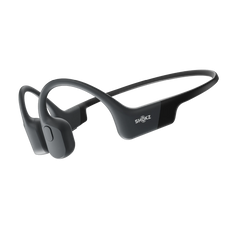
The Shokz is designed for meetings that happen on the move. It's a 35g bone conduction headset on a full-titanium frame, with a rotatable DSP noise-cancelling boom mic that sits by your cheek and swings away when you're done talking. Seventh-generation bone conduction with PremiumPitch™ 2.0 keeps voices clear and detailed, and an IP55 rating means rain and sweat won't end the conversation. It suits couriers, site managers, and sales reps between appointments, anyone whose meetings happen at walking pace.


Key features:
- 7th generation bone conduction with PremiumPitch™ 2.0 for clear, voice-focused audio
- Rotatable DSP noise-cancelling boom mic for precise voice pickup
- Up to 16 hours of talk time and 8 hours of listening per charge
- 5-minute quick charge for 2 hours of talk time, with a full charge in about an hour
- Bluetooth 5.1 with a 30-metre wireless range and multipoint pairing
- 35g full-titanium wraparound frame
- IP55 rated against dust, sweat, and splashes
- Independent mute button for instant privacy
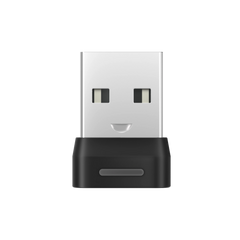
Both are also available as UC bundles with the Shokz Loop 120 wireless adapter, which gives laptops a more stable plug-and-play connection, and the OpenMeet UC is Zoom Certified as well.
Final Recommendation: The Best Headset for Meetings Is the One That Fits Your Workday
There's no single winner here, only a right fit. If your day involves scheduled video calls from a desk, the OpenMeet's comfort-first design, meeting-specific controls, and dual-mic clarity make it the best headset for Teams or Zoom meetings. If your meetings happen on your feet, in vans, on sites, or around town, the lighter OpenComm 2 with its boom mic is built for that kind of day.
FAQs
What is the best headset for Zoom and Teams calls?
The best headset for Zoom and Teams is one that stays comfortable through a full day of calls, with a noise-cancelling microphone and a stable wireless connection. Open-ear designs have an advantage in back-to-back meetings because nothing presses in or on your ears. The Shokz OpenMeet UC is Zoom Certified, so it works with Zoom out of the box.
Are open-ear headsets suitable for noisy offices?
For the other side of the call, yes. Noise-cancelling microphones like the OpenMeet's cVc dual-mic system remove most background noise before your colleagues hear it. For your own listening, open ears do let ambient sound in, which is manageable in a typical office but harder in very loud environments.
How long should a wireless headset with a mic for work last?
Aim for at least a full working day of talk time. The OpenComm 2 manages up to 16 hours of talk time per charge and the OpenMeet up to 14, and both deliver around two hours of calls from a five-minute quick charge if the battery catches you out.
Do I need a boom mic for online meetings?
Not necessarily. A boom mic positions the capsule next to your mouth, which is the safest choice for loud or unpredictable settings, and it's why the OpenComm 2 uses one. In a home office or a quieter workspace, a well-tuned dual-mic array like the OpenMeet's picks up your voice cleanly without anything near your face.