





Why Dirty Earbuds Can Affect Your Listening Experience
If your earbuds have started sounding quiet or muffled, dirt or debris around the speaker mesh may be one possible cause. Earbuds can collect sweat, dust and pocket lint during everyday use, while in-ear designs may also collect earwax. Keeping the speaker mesh and charging contacts clean can help prevent dirt and debris from building up.
The safest cleaning method depends on the design of your earbuds and the manufacturer's instructions. In-ear and semi-in-ear earbuds may need attention around the ear tips and mesh, while open-ear designs such as bone conduction, clip-on and ear-hook headphones have different surfaces to clean. In this guide, we'll cover general cleaning tips, charging cases, common mistakes to avoid, and how often to clean your earbuds.
What You'll Need: A Simple Cleaning Toolkit
Before you start, gather these basics. Always check the cleaning instructions for your specific model before using any cleaning product. Avoid household chemicals, disinfectant sprays and abrasive materials unless they are specifically recommended by the manufacturer.
- A soft, clean, dry cloth
- A soft-bristle brush for removing visible dust and debris
- A dry cotton swab for narrow areas such as charging contacts
- For specific Shokz models, follow the product guide for any additional cleaning tools or methods.
Avoid sharp or abrasive objects, liquids entering openings, and cleaning products that are not recommended for your specific earbuds.
How to Clean Earbuds and Their Charging Case: Step-by-Step Guide
Whatever type of earbuds you own, the routine below follows the order you'd naturally clean them in — buds first, then the case. Because cleaning methods vary between designs, use the section that matches your earbuds and always follow the manufacturer's product-specific instructions.
In-Ear & Semi-In-Ear Earbuds: Tips, Mesh and Grilles
In-ear and semi-in-ear earbuds sit inside or against the ear canal, so they can collect everyday dirt such as skin oils, dust and sweat around the silicone tips and mesh grille.
- Remove the ear tips. If your earbuds have removable silicone or foam tips, remove them and clean them separately according to the manufacturer's care instructions.
- Dry completely. Allow removable ear tips to dry completely before refitting them.
- Hold the earbuds carefully. Where appropriate, hold the earbuds with the speaker mesh facing down while gently removing visible debris. This can help prevent loose debris from being pushed further into the mesh.
- Brush gently. With a soft-bristle brush, sweep across the mesh in short, light strokes to flick away dust and skin oil.
- Wipe the shell. Use a soft, clean, dry cloth to wipe the outer casing and remove fingerprints or surface dirt. Do not apply cleaning products unless they are specifically recommended for your model.
This covers general dust, dirt and sweat build-up. If you're dealing with visible wax, keep reading.
Removing Earwax from Earbuds Safely
Earwax and debris can contribute to muffled sound in in-ear earbuds, but the mesh can be delicate and should be cleaned carefully. The instinct to poke, scrape, or blow into the mesh can push debris further inside or damage the earbuds.
- Hold the earbud mesh-down and gently remove visible debris without pushing it further into the mesh.
- Never insert a cotton swab into the mesh itself. Swabs are better suited to areas such as charging contacts or outer surfaces where the product instructions allow them.
- Avoid wooden toothpicks, pins, needles or other sharp objects around the mesh. They can damage the mesh or other internal components.
- Know when to stop. If sound is still muffled after a careful clean, check the ear tips if your earbuds have them and refer to the manufacturer's troubleshooting guidance rather than attempting to clean inside the earbud.
- Resist the urge to clean "inside" the earbud. Avoid inserting tools or objects into internal openings, as this can cause damage.
Open-Ear Earbuds by Type: Bone Conduction, Ear-Clip and Ear-Hook
Our open-ear earbuds sit outside the ear canal entirely, so they do not have the same direct contact with earwax as in-ear earbuds. However, they still collect sweat, skin oils and dust on the surfaces that contact your skin. The cleaning method depends on the design and the specific product.
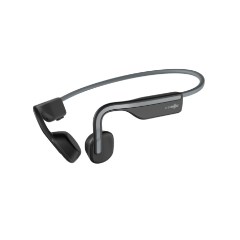
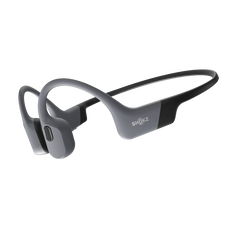
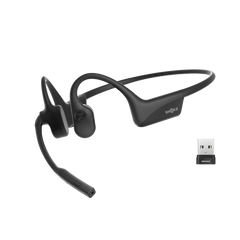
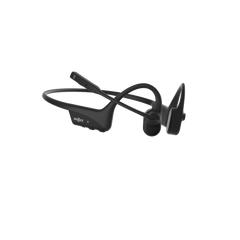
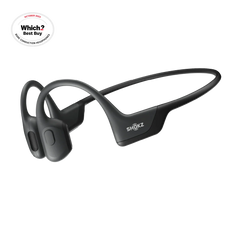
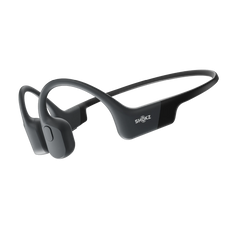
Bone conduction (e.g. our OpenRun Pro 2, OpenSwim Pro)
Our bone conduction headphones rest against the cheekbone via a titanium headband, with transducer pads that sit directly on the skin — meaning sweat and skin oil are the main areas to keep clean.
- Wipe the headband and transducer areas with a soft, clean, dry cloth, following the cleaning instructions for your specific model.
- After exercise, wipe away sweat and dirt from the frame and surfaces that contact your skin. Allow the headphones to dry naturally before storing or charging them.
Ear-clip / clip-on earbuds (e.g. our OpenDots series)
Our clip-on earbuds use a clip-on design that sits around the outer ear, so the surfaces around the clip and speaker can collect sweat, skin oils and dust.
- Use a soft brush gently around the speaker mesh or other accessible areas to remove visible dust and debris.

- Wipe the clip and outer surfaces with a soft, clean, dry cloth. Avoid applying alcohol or other cleaning products unless they are specifically recommended for your model.

📺 We've put together a short video walking through exactly how we clean our ear-clip earbuds, step by step — worth a watch if you'd rather see it than read it: How to Clean OpenDots
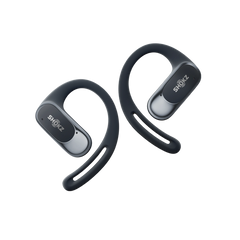
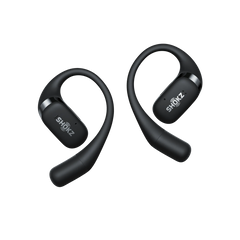
Ear-hook earbuds (e.g. our OpenFit series)
Our ear-hook designs loop behind and around the ear, with the driver housing facing the ear canal opening from outside — the closest our open-ear designs get to the ear without actually entering it.
- Clean the inner curve of the hook (the part resting against or behind the ear), as this is where sweat and skin oil accumulate most.

- Wipe the driver housing and other outer surfaces with a soft, clean, dry cloth after sweaty sessions. For mesh or openings, follow the cleaning instructions for your specific model and avoid allowing liquid to enter.

📺 We also have a quick video demo for our ear-hook models: How to Clean OpenFit
Across all three open-ear formats, the key rule is to keep skin-contact surfaces clean and dry, avoid sharp or abrasive tools, and follow the cleaning instructions for your specific model. Do not apply liquids to speaker openings or other areas where they could enter the device unless the manufacturer specifically recommends it.
Cleaning the Charging Case: Contacts, Shell and Lint
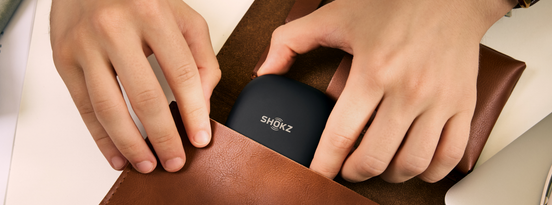
The charging case can collect dust and debris around the charging contacts and earbud wells. Keeping these areas clean can help prevent debris from interfering with charging.
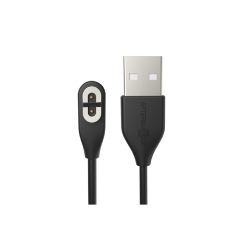
The charging contacts (inside the case, where the earbuds dock):
- Use a clean, dry cotton swab to gently remove dust or debris from the charging contacts, following the instructions for your specific model.
- Do not use alcohol or other cleaning products on the charging contacts unless the manufacturer specifically recommends them.
- Never plug the case in to charge while any moisture is present on the pins or in the earbud wells — let everything dry fully first.
The case shell and lint:
- Wipe the exterior with a soft, clean, dry cloth.
- Use a soft-bristle brush to gently remove pocket lint, dust and fine debris from the earbud wells where appropriate.
- Pay attention to the hinge and lid seam, where lint tends to gather.
Regularly removing dust and debris from the charging contacts and case can help keep these areas clean and ready for use.
Common Mistakes That Damage Earbuds and Cases
Most earbuds don't fail from a single accident — careless or unsuitable cleaning methods can cause avoidable damage. We'd steer you away from these:
- No direct rinsing. Do not rinse or submerge your earbuds or charging case unless the product's instructions specifically allow it. Water-resistance ratings vary between models and do not automatically mean that a product can be cleaned under running water.
- No high heat. Avoid using a hairdryer, radiator or other direct heat source to dry your earbuds. Allow them to dry naturally.
- No sharp metal tools. Pins, needles, paperclips and other sharp objects can damage the speaker mesh or other components.
- Do not use alcohol unless your model's instructions recommend it. Cleaning requirements vary between products, so check the official guide for your specific model before using alcohol or other chemical cleaning products.
- Never charge while damp. Make sure the earbuds, charging contacts and relevant charging ports are completely dry before charging.
- Avoid household cleaning sprays. Do not use multi-surface sprays, disinfectants or other cleaning products unless they are specifically recommended for your model.
FAQs
How often should you clean earbuds?
There is no single cleaning schedule that suits every pair of earbuds. A quick wipe after a sweaty session and regular removal of visible dust and debris can help keep them clean. Clean them more often if you use them frequently for exercise or in dusty environments, and always follow the manufacturer's care instructions.
Does rubbing alcohol damage earbuds?
It depends on the model. Some products may have specific instructions about using alcohol, while others advise against it. Check the cleaning instructions for your specific earbuds before using rubbing alcohol or any other cleaning product.
Can I clean earbuds with water?
Do not rinse or submerge the earbuds or charging case unless the product instructions specifically allow it. If your model has removable ear tips, clean them separately according to the manufacturer's instructions.
Why do my earbuds sound muffled even after cleaning?
If your earbuds still sound muffled after cleaning, check the speaker mesh and ear tips if applicable, then refer to the manufacturer's troubleshooting guidance. If the issue continues, contact customer support rather than attempting to clean inside the earbuds.
Do open-ear and bone conduction earbuds need less cleaning?
Generally, yes. Because open-ear and bone conduction designs sit outside the ear canal, they do not collect earwax in the same way as in-ear earbuds. However, they still need regular cleaning to remove sweat, skin oils and dust from surfaces that contact the skin.
Conclusion: Keep Your Earbuds Clean and Well Maintained
Regular cleaning can help keep earbuds, charging contacts and cases free from dirt and debris. The safest approach is simple: use the cleaning method recommended for your specific model, avoid sharp or abrasive tools, keep moisture away from openings and make sure everything is completely dry before charging.
If earwax and mesh maintenance feel like more upkeep than you want, open-ear designs sit outside the ear canal and therefore do not collect earwax in the same way as in-ear earbuds. Whichever shape you own, following the manufacturer's cleaning instructions can help you keep your earbuds in good condition.