

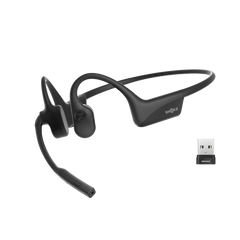
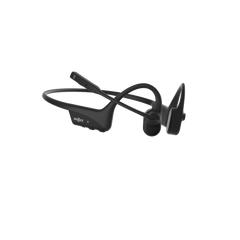

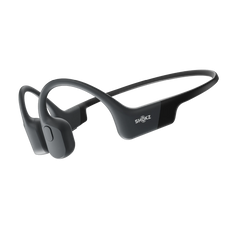



Using ear hook earbuds may look simple until you're wearing them upside down or they aren’t giving you the grip you need. But once you know the technique, it takes about two seconds to put them on, and you can easily figure the rest out.
This guide covers how to use ear hook earbuds properly. We’ll cover wearing them correctly, pairing them with your phone, mastering the everyday controls, charging, and the small habits that keep everything comfortable and secure.
The instructions below are based on official guidance for the Shokz OpenFit range, so if you own the OpenFit Pro, OpenFit 2+, or OpenFit Air, everything here applies directly.
What Are Ear Hook Earbuds?
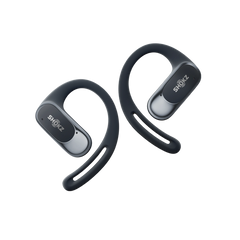
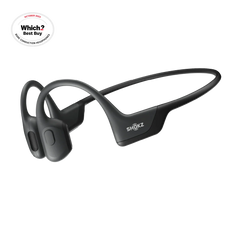
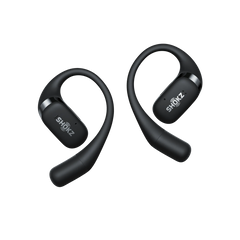
Ear hook earbuds are true wireless earbuds held in place by a soft, flexible hook that curls behind your outer ear. Most, including the Shokz OpenFit family, are open-ear headphones, where the speaker is outside the ear canal rather than inside it, so you hear your music and your surroundings at the same time. The design keeps your earbuds in securely and removes the ache you typically get from in-ear models.

How to Wear Ear Hook Earbuds
Most new owners struggle with how to put on ear hook earbuds. Here’s a simple guide:
- Take the earbud out of the case and check which side it's for. They typically have left and right marked.
- Hold it so the end of the hook lines up with the rim of your ear.
- Gently rotate the earbud backwards, letting the hook slide behind your ear and curl around it.
- Let the speaker settle against the inside of your ear, resting just outside the ear canal.
- Give your head a shake. A well-seated earbud shouldn't move.
How should ear hook earbuds fit?
They should feel snug but without pressure. The hook should be behind the ear with the speaker resting lightly at the entrance to the ear canal, close enough that music sounds full, never wedged inside. If you feel pinching, reposition the earbuds instead of pushing. If the earbud wobbles when you nod, rotate it slightly further so the hook curls deeper behind the ear.
Wearing them with glasses
Wear your glasses first, then earbuds. Rotate the earbud in so the hook settles alongside the glasses arm. It is easier to wear glasses with earbuds with thin frames, but even chunky frames usually work after a minor adjustment.
How to Pair Ear Hook Earbuds
Pairing for the first time
- Open the charging case with both earbuds inside. On first use, they enter pairing mode automatically, shown by the indicator flashing orange and green.
- Open your phone's Bluetooth settings and look for the model name, for example, "OpenFit Pro by Shokz".
- Tap to connect. From then on, the earbuds reconnect to your phone automatically when you take them out of the case.
Putting them back into pairing mode
To connect ear hook earbuds to a new device, place both earbuds in the case, then press and hold the charging case button for about three seconds until the indicator flashes orange and green again. That's the method for the OpenFit Pro and OpenFit 2+. For the OpenFit Air, put the earbuds in the open case, press and hold the touch area of both earbuds until the indicator flashes orange and green. Then select the earbuds in the new device's Bluetooth menu.
Connecting two devices at once
All three OpenFit models support multipoint, which holds connections to two devices at the same time, like your laptop and phone. Turn it on in the Shokz App under MultiPoint Pairing, then follow the prompts to connect the second device. Audio switches to whichever device starts playing or rings.
If pairing fails, the fix is usually to turn Bluetooth off and on, make sure the earbuds have charge, or ask your phone to forget the earbuds and pair again from scratch.
Everyday Controls
Controls vary slightly across the range. The OpenFit Pro and OpenFit 2+ use physical press buttons, one on each earbud, while the OpenFit Air uses touch gestures. These are the defaults:
- Play and pause: press the button once (OpenFit Pro and 2+), or double-tap the earbud (OpenFit Air).
- Skip tracks: double-press for the next track, triple-press for the previous one (OpenFit Pro and 2+).
- Volume: press and hold the right earbud to turn it up and the left to turn it down (OpenFit Pro and 2+). On the Air, touch and hold, with each earbud handling one direction.
- Calls: press once to answer or end a call, double-press to reject (OpenFit Pro and 2+). Double-tap to answer or end on the Air.
- Noise reduction (OpenFit Pro only): press and hold either button, with two tones confirming the change.
The OpenFit Pro also has wear detection, so music pauses when you remove an earbud and resumes when it's back on. If two functions ever seem to use the same gesture, use the Shokz App’s live control map for your exact model, and you can remap almost everything.
Charging and Battery
Earbuds go back in the case when you're not wearing them, and they charge in the case. The case itself charges over USB-C. The indicator glows solid orange while charging and turns green when full.
Quick charging is the feature you'll lean on most. Ten minutes in the case gives the OpenFit Air and OpenFit 2+ around 2 hours of listening, and the OpenFit Pro around 4 hours. The 2+ and Pro cases also charge wirelessly. Just place the case in the centre of a Qi charging pad with the logo facing up.
For reference, the OpenFit Air runs up to 6 hours per charge (28 with the case), the OpenFit 2+ up to 11 hours (48 total), and the OpenFit Pro up to 12 hours (50 total) with its noise reduction switched off.
Tips for Comfort and Stability
● Keep the volume sensible: open designs reward moderate volume, and it's kinder to your hearing too. If a room is too loud to hear comfortably, moving is better than maxing out.
● Reposition, don't tighten: if an earbud aches, it's sitting wrong. A small rotation usually fixes the issue.
● Wipe them down after workouts: sweat resistance keeps the electronics safe, but a quick wipe with a dry cloth keeps the silicone fresh and grippy for sport and training.
● Do a fit check before you run: a quick head shake at the door confirms the hooks are seated properly, which is easier than adjusting mid-stride.
● Keep the case topped up: the case is your battery bank. An empty case means dead earbuds.
Common Beginner Mistakes
● Wearing the hook in front of the ear: it goes behind, always. If the earbud feels precarious, this is usually why.
● Mixing up left and right: the sides are marked, and the speaker angle is designed for each ear. Swapped earbuds fit badly and sound worse.
● Forcing the hook open: the hooks flex, they don't hinge. Rotate them on rather than bending them outwards.
● Skipping the Shokz App: EQ presets, control customisation, multipoint, and firmware updates are all accessible on the app.
● Turning the volume up to fight noise: open designs let sound in on purpose. Past a point, extra volume mostly leaks out and tires your ears.
Final Thoughts
Ear hook earbuds give you a secure fit, open ears, and all-day comfort. They fit perfectly, and the controls become intuitive once you master the fit and use the app as a guide.
And if you're still trying to choose a pair of ear hook earbuds, the OpenFit range covers every budget and use case.
Frequently Asked Questions
How should ear hook earbuds fit?
Snug, stable, and pressure-free. The hook curls fully behind your ear, the speaker rests just outside the ear canal, and nothing pinches. If an earbud moves when you shake your head, rotate it a little further back. If it aches, reposition it rather than pressing it tighter.
How do you pair ear hook earbuds for the first time?
Open the charging case with the earbuds inside, and they enter pairing mode automatically, with the indicator flashing orange and green. Then pick the model name from your phone's Bluetooth menu, such as "OpenFit 2+ by Shokz", and tap to connect. They reconnect automatically after that.
Why won't my ear hook earbuds connect?
It's usually one of these three things:
- The earbuds are out of charge
- Bluetooth needs toggling
- your phone is holding on to an old pairing
Charge the case, turn Bluetooth off and on, or forget the earbuds in your Bluetooth settings and pair again from scratch.
Do you need the Shokz App to use ear hook earbuds?
No, they work straight out of the case. However, the app unlocks EQ presets, lets you customise the controls, manages MultiPoint Pairing, and keeps the firmware up to date.