





Just picked up a pair of Shokz open-ear headphones, or thinking about switching from traditional earbuds? If you're used to the in-ear kind, the first few minutes with an open-ear model can feel a little unfamiliar — there's no seal to "click" into place, the buttons aren't always where you'd expect, and pairing sometimes works a little differently depending on the model.
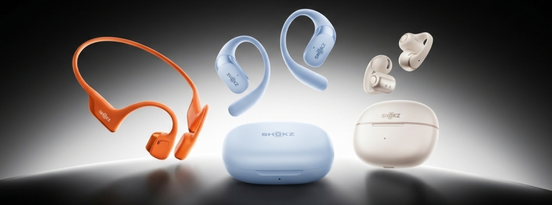
This guide walks through exactly how to wear your headphones correctly, how to turn them on, and how to pair them with your phone or laptop — with specific steps for Shokz's three core styles: OpenRun Pro 2 (Bone Conduction Headphones), OpenFit Pro (Ear-Hook Earbuds), and OpenDots 2 (Clip-On Earbuds). We'll also cover sound quality tips, charging, troubleshooting, and the questions we hear most often from new owners.
- What Are Open-Ear Headphones? A Quick Overview
- How to Turn On Your Shokz Headphones
- How to Wear Shokz Headphones Correctly
- How to Pair Shokz Headphones with Your Phone or Laptop
- Getting the Best Sound and Minimising Leakage
- Charging and Battery Life
- Troubleshooting Common Issues
- Tips for Everyday Use
- Caring for Your Headphones
- Frequently Asked Questions
What Are Open-Ear Headphones? A Quick Overview
Open-ear headphones sit outside or around your ear rather than sealing your ear canal shut. Because nothing blocks your ears, you stay aware of traffic, conversations, and announcements while you listen — a big part of why they've become popular with runners, cyclists, and commuters across the UK.
Shokz headphones generally fall into two design types:
-
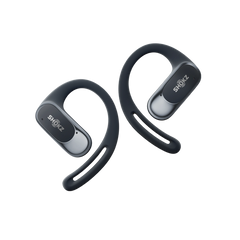
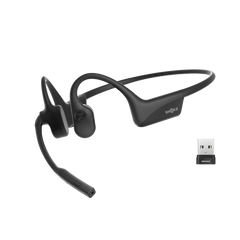
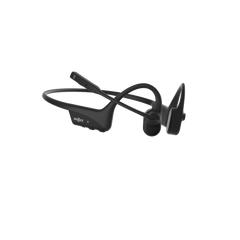
Ear-hook style — a flexible hook loops over and behind your ear for extra stability during movement. This includes both bone conduction models like the OpenRun Pro 2 (which uses a neckband) and air conduction models like the OpenFit Pro.
-
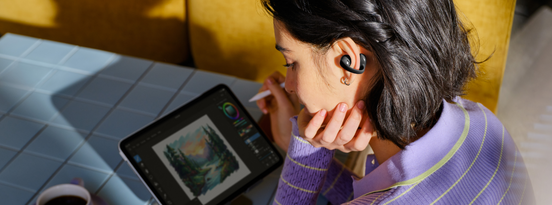
Ear-cuff style — no hook at all. The earbud clips gently onto the rim of your ear, like the OpenDots 2. This style tends to sit more discreetly and doesn't interfere with glasses or hats.
The right wearing position, button layout, and pairing steps differ slightly across these styles, so let's go through each properly.
How to Turn On Your Shokz Headphones
Most Shokz headphones power on in one of two ways:
-
Neckband and hook-style models (like the OpenRun Pro 2) generally power on with a long press of the multi-function button — you'll hear a voice prompt confirm it's switched on.
-
Case-based models (like the OpenFit Pro and OpenDots 2) typically power on automatically when you take them out of the charging case, or as soon as you open the case lid.
If your headphones won't power on at all, the most common cause is simply a flat battery — plug them in for a few minutes and try again before assuming there's a fault.
How to Wear Shokz Headphones Correctly
Getting the position right matters more with open-ear headphones than with traditional earbuds — a few millimetres out and you'll notice a difference in comfort or sound clarity. Here's how it works for each style.
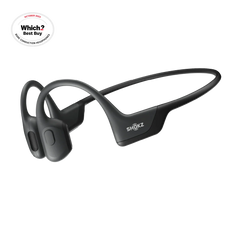
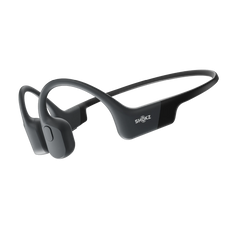
Shokz OpenRun Pro 2 (Bone Conduction Headphones)
-
Hold the headphones with the band facing outward and rest it around the back of your neck.
-
Hook the arms over your ears, letting the bone conduction transducers rest gently in front of your ears, near your temples — not inside or over the ear canal itself.
-
If the sound feels muffled or you notice pressure, nudge the transducers slightly forward or backward until they sit comfortably against your cheekbone.

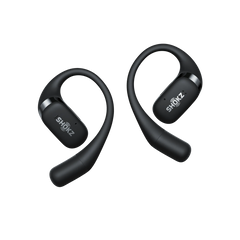
Shokz OpenFit Pro (Ear-Hook Earbuds)
-
Take both earbuds out of the charging case.
-
Position each earbud just above your ear, then rotate the hook downward so it follows the natural curve of your ear.
-
Let the speaker settle just in front of your ear canal opening — there's no need to push it in the way you would with in-ear buds.

Shokz OpenDots 2 (Clip-On Earbuds)
-
Gently open the flexible JointArc™ arm with two fingers.
-
Position the rounded speaker against the inner rim of your ear, with the cylindrical battery section resting behind it, so the whole thing clips on like a cuff.
-
Make sure the speaker sits just outside your ear canal opening rather than inside it.
-
There's no left/right distinction — either earbud works in either ear, and it's detected automatically.

How to Pair Shokz Headphones with Your Phone or Laptop
Pairing steps vary slightly by model, so here's the process for each of the three core styles.
Pairing the OpenRun Pro 2
-
With the headphones switched off, press and hold the volume up (+) button.
-
A voice prompt says "pairing", and the LED indicator flashes red and blue alternately once pairing mode is active.
-
On your phone or laptop, open Bluetooth settings and select "OpenRun Pro 2 by Shokz".
-
A confirmation tone plays once the connection is successful.
Pairing the OpenFit Pro
-
Place both earbuds in the charging case and leave the lid open.
-
Press and hold the button on the case for a few seconds until the LED flashes orange and green alternately — that's pairing mode.
-
Open Bluetooth settings on your device and select "OpenFit Pro by Shokz".
-
Once paired the first time, the earbuds will reconnect automatically every time you take them out of the case.
Pairing the OpenDots 2
-
Simply opening the charging case lid puts the earbuds into pairing mode automatically.
-
Check that the case indicator light is flashing orange and green alternately.
-
Open Bluetooth settings on your phone and select "OpenDots 2 by Shokz".
-
From then on, opening the case will reconnect automatically — no need to repeat the pairing steps.
Multipoint pairing: Many Shokz models support connecting to two devices at once — handy if you regularly switch between a phone and a laptop. Check your specific model's spec sheet to confirm support, then manage connected devices through the Shokz App.
Getting the Best Sound and Minimising Leakage
Open-ear headphones are designed to let ambient sound in, but you can still get rich, clear audio with a few adjustments:
-
Check your fit first. Sound quality and volume of leakage both depend heavily on positioning — if the speaker isn't sitting where it should, even the best headphones will sound thin or leak more than expected.
-
Adjust EQ in the Shokz App, where available, to fine-tune bass, mids, and treble to your preference.
-
Avoid pushing the volume too high. Louder volumes increase how much sound leaks outward, particularly in quiet spaces like trains or libraries — moderate levels usually give the best balance of clarity and privacy.
-
Keep the speaker area clean. A build-up of dust, sweat, or skin oils around the driver can dull sound quality over time.
Charging and Battery Life
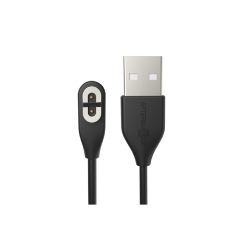
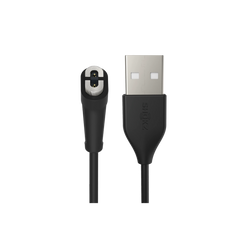
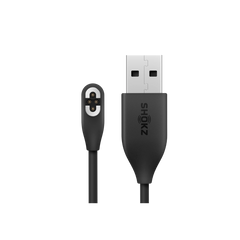
Charging is straightforward across the range: connect the included USB-C cable (or place case-based models on charge), and most Shokz headphones will indicate a full charge through an LED light or voice prompt. Always make sure the charging port is completely dry before connecting a cable, especially after a workout.
Here's how battery life compares across some of the current Shokz lineup:
Battery figures are based on manufacturer specifications and can vary slightly with volume, features enabled, and usage conditions — check the individual product page for the most current figures on newer releases like OpenDots 2.
Troubleshooting Common Issues
If a problem persists after trying these steps, your product manual or Shokz UK Support can help with model-specific fixes.
Tips for Everyday Use
Running and outdoor exercise
-
Give your head a gentle shake before setting off to check nothing's slipped out of position.
-
Wipe headphones down with a dry cloth after a sweaty session, and only charge them once fully dry.
-
Water and sweat resistance ratings (IP ratings) vary by model, so check your specific model's rating before assuming it can handle heavy rain or a swim.
Commuting
-
If your model has wear-detection, taking an earbud out will often pause playback automatically — handy for quick conversations without fumbling for your phone.
-
If you switch between your phone and a work laptop through the day, multipoint pairing (where supported) saves you from re-pairing each time.
Caring for Your Headphones
-
Wipe down with a soft, dry cloth after each use to remove sweat and natural oils.
-
Keep the charging contacts free of moisture and dust.
-
Store away from direct sunlight and humid environments.
-
If you're not using them for an extended period, charge them roughly once a month to avoid the battery deep-discharging.
Frequently Asked Questions
Are open-ear headphones likely to fall out?
It depends on the design and how well it matches your ear shape. Hook-style and cuff-style designs are both built for a secure, stable fit when positioned correctly — it's worth checking the fit against your own ear shape when you first unbox them.
Should I choose bone conduction or air conduction?
Both keep your ear canal open, but they deliver sound differently. Bone conduction sends vibrations through your cheekbones, which has a distinctive feel some people need a session or two to adjust to. Air conduction (like the OpenFit Pro) projects sound in a way that feels closer to a traditional earbud. Which suits you best often comes down to personal preference and intended use.
What should I do if pairing isn't working?
Check the battery level first, then power the headphones off and back into pairing mode. If it still won't connect, remove the saved device from your phone's Bluetooth settings and pair again from scratch. If the issue persists, Shokz UK Support can help diagnose model-specific problems.
Can I use these for phone or video calls?
Yes — most models include built-in microphones with noise reduction designed to keep your voice clear, even in moderately busy environments.
Do I need the Shokz App to use my headphones?
No — basic playback, calls, and pairing all work without it. The app is useful if you want to adjust EQ settings, customise button controls, or manage multipoint connections.
Can I connect to two devices at the same time?
Many current Shokz models support multipoint pairing, letting you stay connected to two devices (like your phone and laptop) and switch between them automatically. Check your specific model's spec sheet to confirm.
Conclusion
Once you've got the fit, power-on, and pairing steps down, using open-ear headphones day to day is genuinely straightforward — and the payoff is being able to hear your music and your surroundings at the same time. If you're deciding between styles, the OpenRun Pro 2 suits anyone wanting the most secure fit for high-impact training, the OpenFit Pro offers a lighter hook-style feel with richer everyday sound, and the OpenDots 2 is worth a look if you'd rather skip the hook altogether.
Explore the full range on Shokz UK to find the model that suits how you'll actually use it.