

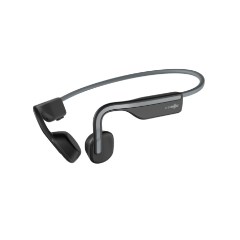
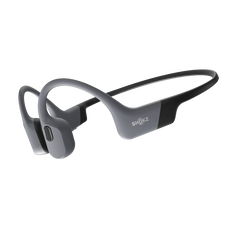


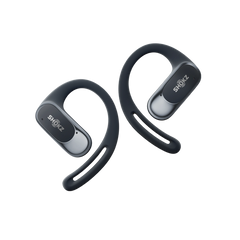

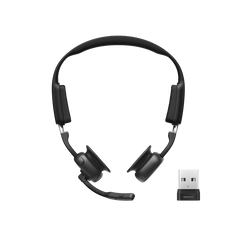
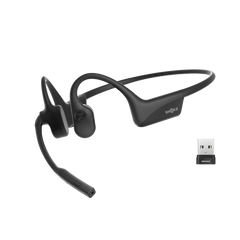
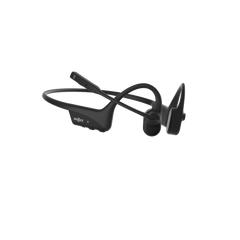
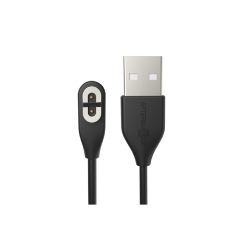
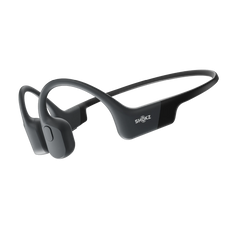

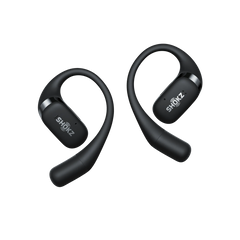


- Data from the Shokz testing laboratory shows that actual weight may vary by ±1g due to product configuration and manufacturing processes; please refer to the physical product.
- Shokz OpenMeet2 features AI noise reduction technology designed to reduce environmental noise while preserving human voices. Internal simulations conducted by Shokz Lab suggest that this technology can achieve a signal-to-noise ratio improvement of approximately 42 dB, corresponding to a potential 99.4% reduction in ambient noise, along with effective reduction of loud echoes. Note that actual performance may vary depending on environmental conditions.
- Data regarding the 16-hour playback time is provided by Shokz Professional Laboratories. Under default settings in an environment of 25±2°C, the headphones can provide up to 16 hours of continuous music playback when fully charged, set to 60% volume, and used in Standard Mode. Actual battery life may vary depending on volume levels, audio source, environmental interference, enabled features, and usage habits. Performance is subject to actual use.
- Data regarding the 12-hour call duration is provided by Shokz Professional Laboratories. Under default settings in an environment of 25±2°C, the headphones provide up to 12 hours of use when fully charged, with volume set to 50%, the Busy Light turned off, and a call-to-listen ratio of 3:7. Actual duration may vary depending on volume, audio source, environmental interference, product features, and usage habits. Please refer to actual usage.
- Data provided by Shokz Professional Laboratories. When fully charged, connected to a Bluetooth device, and with the Auto-Sleep function disabled, the headphones offer up to 14 days of standby time. Under default settings, the headphones will automatically enter sleep mode after 4 hours of inactivity. You can adjust the Auto-Sleep timer or disable the feature via the Shokz App or Shokz Connect. Actual standby duration may vary based on volume, audio source, environmental interference, enabled features, and usage habits.
- Data provided by Shokz Professional Laboratories. Under default settings in an environment of 25±2°C, charging the headphones for 5 minutes (after the battery has been depleted until automatic shutdown) provides up to 2 hours of call time (based on a 3:7 call-to-listen ratio with the Busy Light turned off). Actual battery life after charging may vary depending on volume, audio source, environmental interference, product features, and usage habits. Please refer to actual performance.
- Actual Bluetooth transmission speed and range may vary depending on environmental factors, product features, and usage habits. For the most accurate performance, please refer to your actual usage conditions.
OpenMeet 2
OPENMEET 2 UC
Comfort Empowers Innovation.
Subscribe now and get 10% off
Thank you for your interest in OpenMeet2
Your discount code will be emailed when the product launches. Please check your inbox at that time. Keep an eye on your inbox for more updates.
OpenMeet2 will be available from 19 October.
Get the Highlights
Watch video
Open-Ear Comfort
Shokz GlideFit™ Stability
AI-Powered Call Clarity
Precision Audio
Situational Awareness
Zoom and Webex Certified
OpenMeet 2
Open-Ear Design.
Comfort Without Compromise.
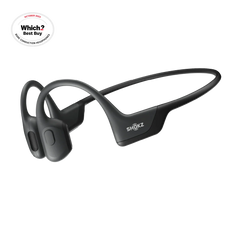
Discover the all-new OpenMeet2, redesigned for a comfortable wearing experience. The open-ear design reduces ear canal pressure, heat buildup, and fatigue – breathable, ergonomic, and built for extended wearing, from your first call to your last.
Stay cool and comfortable all day long.
77.9 g*. Featherlight by Design.
A free-form titanium frame trades traditional hard plastic and metal for adaptive memory foam and plush protein leather — softer against your head, gentler on your hair, and noticeably different from the first moment you put it on.
A titanium-alloy core wrapped in skin-friendly silicone delivers a fit that's secure yet comfortable. Gentle on your skin, compatible with eyewear, earrings, or hearing aids, OpenMeet2 integrates seamlessly into your day.
Shokz GlideFit™
Engineered for a Secure, Stable Fit.
Shokz GlideFit™ Design
Inspired by the precision fit of premium eyewear, Shokz GlideFit™ uses an inward-contoured frame to distribute tension evenly, so the headset stays secure through every meeting, call, and coffee break.
*Fit and comfort may vary by individual.
AI-Powered Call Clarity.
Crystal Clear Calls in Every Environment.
Powered by the Qualcomm® QCC3096 chip, OpenMeet2's dual-microphone system uses AI to isolate your voice and filter out the rest. From office chatter and keyboard clicks to a barking dog or a busy café, up to 99.4%* of background noise is eliminated — so every call is crisp and clear.
- Scenario 1
- Scenario 2
- Scenario 3
OpenMeet2 Mic Quality
Real-World Sounds
Precise dual controls
Shokz DualPitch™ Technology fuses an air-conduction driver with a high-performance bone conduction core, tuned by a digital crossover algorithm to deliver a rich, full-range listening experience.
PremiumPitch™ 3.0 Bone Conduction Core.
The re-engineered bone conduction core extends high frequencies beyond 20 kHz, delivering crisp highs, rich mids, and deep bass for exceptional audio quality.
LeakSlayer™ 3.0 for Private Audio.
Advanced vibration control reduces sound leakage so your confidential calls stay private, even in open office environments.
Premium Speakers.
Exceptional Sound.
A custom 11 mm × 21 mm large-amplitude driver powered by 4 amplifiers delivers a rich, expansive soundstage.
Open-Ear Design. Stay Present. Stay Aware.
OpenMeet2's signature open-ear design keeps your ear canals free, so you can catch a colleague's question, follow a side conversation, stay attuned to your surroundings — all without ever taking your headset off.
Zoom & Webex Certified.
Built for Seamless Collaboration.
Certified for Zoom and Webex*, OpenMeet2 delivers a gold-standard experience for every meeting. Paired with the Loop120 wireless adapter, it offers plug-and-play simplicity and a more reliable connection than direct Bluetooth pairing — ensuring performance with every platform-certified meeting.
*The headset is compatible with Zoom for Windows 8+ and macOS 10.15+.
*The headset is compatible with Webex only on Windows 10+.


All-Day Battery. And a Fast Top-Up When You Need It.
Charge while you work. Simply plug in your OpenMeet2 to power up and keep your calls going - no interruptions, no downtime.
Up to
16 hours*
of playback time
Up to
12 hours*
of talk time
Seamless Connectivity. Wherever Work Takes You.
Solid Bluetooth 6.0 Connection. Unmatched Mobility.
Enjoy Bluetooth simplicity with ultra-stable, a 30m (98 ft)* long-range connectivity for hassle-free travel and hybrid work.
Compact Carrying Case.
Thoughtfully designed to slide effortlessly into your laptop bag, the sleek carrying case ensures your professional setup is always within reach — at home, in the office, or wherever the day takes you.
Every Control at Your Fingertips.
Tactile Multi-Control.
Flip-to-Mute and Dedicated Mute Button.
Integrated Busylight.
A precision-engineered rotary volume dial lets you navigate calls and adjust audio without breaking your focus.
Raise the boom arm to mute instantly, or press the dedicated button — 2 intuitive ways to control your calls.
A built-in red status indicator automatically alerts colleagues when you're on a call, helping you maintain uninterrupted focus without a word.
Software That Scales with Your Team.
Intelligent MultiPoint Pairing.
Seamlessly connect 2 devices simultaneously, with an 8-device memory that makes switching between your laptop and smartphone instant and hassle-free.
Precision EQ Modes.
Tailor your audio with 2 expert-tuned presets — Standard Mode for balanced listening, Vocal Booster for crystal-clear calls.
*OpenMeet2 requires the Loop120 Wireless Adapter to use Shokz Connect.
Download Shokz Connect
Download the Shokz App
Overview
Open-Ear Audio Comfort
77.9 g*. Every Gram Considered
Shokz GlideFit™
Precision Audio
AI-Powered Call Clarity
Zoom & Webex Certified
Up to 15 Hours Playback*
Bluetooth 6.0
Flip-to-Mute
What's In The Box


OpenMeet2 UC
Carry Case * 1
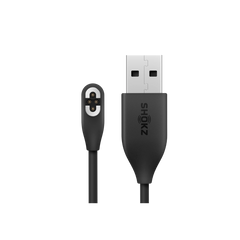
USB2.0 CM-CM Data Cable * 1
User Manual * 1
Legal Statement * 1
Warranty Card * 1
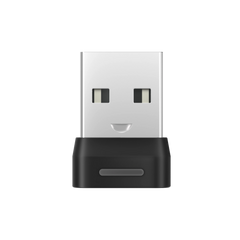
Shokz Loop 120 USB-A/USB-C Wireless Adapter * 1
FAQ
What is the difference between OpenMeet2 and OpenMeet2 UC?
| Product | OpenMeet2 | OpenMeet2 UC |
|---|---|---|
| Wireless Adapter | × | √ |
| Zoom & Webex Certified | × | √ |
| Shokz Connect for PC | × | √ |
| Shokz App for Mobile Device | √ | √ |
OpenMeet2 UC consists of an OpenMeet2 headset and a Loop120 Wireless Adapter. It offers both Bluetooth and dongle connectivity. If you purchase the OpenMeet2 headset, it does not include the Loop120 Wireless Adapter, and you can only connect via Bluetooth (Note: The Loop120 Wireless Adapter can be purchased separately if needed in the future). OpenMeet2 UC is perfect for office environments, providing a more stable wireless connection than Bluetooth, and coming with Zoom and Webex certification, ensuring uninterrupted productivity. If you primarily work on a computer, OpenMeet2 UC would be the better choice.
What to do if the microphone/speaker on OpenMeet2 is not working?
Please check the following steps:
- Confirm that the headset is successfully connected to your device.
If you are using a wireless adapter to connect to a computer, make sure the headset is powered on, the adapter displays a solid cyan light, and the headset voice prompt says "PC Connected." If you are connected to a mobile device, make sure OpenMeet2 appears as Connected in the Bluetooth device list, and the headset voice prompt says "Device 1 Connected" or "Device 2 Connected."
- Confirm that OpenMeet2 is selected as the audio input/output device.
If you are using a wireless adapter to connect to a computer, go to your computer’s audio settings and select Loop120 as both the input and output device. Also, ensure the Loop120 is selected as the audio device within your meeting software settings (e.g., Microsoft Teams, Zoom, Webex). If you are connected to a mobile device, select OpenMeet2 as the audio output device in the playback or call interface.
If the microphone or speaker still does not work after completing the steps above, try resetting the headset and the wireless adapter, then reconnect the device.
If the issue persists, please contact our customer support team for further assistance.
How to connect OpenMeet2 UC to Shokz Connect?
Please follow the steps:
- Plug Shokz Loop120 into the PC.
- OpenMeet2 UC pairs and connects with Shokz Loop120.
- When the Shokz Connect interface displays "Loop120" and "OpenMeet2 UC," it means the connection was successful.
How do I mute/unmute the microphone?
To mute the microphone, click the Mute Button once during a call while the microphone is unmuted, or move the Microphone Boom Arm up.
To unmute the microphone, click the Mute Button once during a call while the microphone is muted, or move the Microphone Boom Arm down.
How do I use Multipoint Pairing?
The headset is capable of connecting to two devices simultaneously, such as computers and mobile devices.
To pair to mobile devices, make sure your headset is powered off, then:
- Press and hold the Multifunction Button until the LED flashes red and blue alternately.
- Select "OpenMeet2 by Shokz" in your device's Bluetooth settings.
Is the headset waterproof?
No. This headset is not water-resistant. You can use it in your office or at home. To avoid damage, we recommend keeping the headset away from water.


