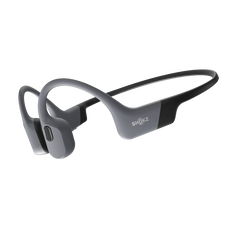





Most Android handsets are loaded with a proper audio kit—Fast Pair, high-res codecs, and bespoke sound profiles. Yet, have a look on any shop shelf and you'll find heaps of gear clearly designed for a different ecosystem. It’s a mess of laggy connectivity and rubbish apps that fall over the second you try to tweak the EQ.
Hunting down the best earbuds for Android shouldn't be a gamble. It’s about finding a pair that actually plays nice with your phone’s software without wireless earbuds for Android costing a fortune. We’ve had a proper look at five good earbuds for Android across the price spectrum to see which ones are actually brilliant and which ones are just barely adequate.
Part 1. Why Good Earbuds for Android Make a Difference
True compatibility is about more than just a basic Bluetooth handshake. Android devices have their own way of shifting bits; they support specific codecs and bespoke features that only really sing when the hardware is built for the platform. A poor match isn't just a minor annoyance—it leads to jittery video calls, infuriating lag during gaming, and audio that never reaches its ceiling.
1. Fast Pairing and Codec Basics
Google Fast Pair kills off that tedious button-holding ritual. With a compatible set, a prompt simply pops up on your screen the moment you crack open the case. While AAC is the standard across most handsets, you’ll want aptX or LDAC for high-fidelity listening if your phone supports it. Budget wireless earbuds for Android often rely on basic SBC, which effectively dulls your music into something rather flat.
2. App Features That Matter
The best android earbuds come with companion apps that do more than just sit there. You want the ability to tweak EQ curves, toggle noise cancellation, and push firmware updates without the app falling over. Real-time battery tracking and custom button remapping are essentials, not luxuries. Good earbuds for Android shouldn't be hampered by dodgy software that crashes every time you try to change a track.
3. Price-to-Feature Sweet Spot
A hefty price tag doesn't always buy you better Android integration. The best earbud headphones for Android are the ones that balance cold, hard cash against tech you’ll actually use. You can find cracking options between £50 and £200 that offer rock-solid connectivity and brilliant sound. Once you drift past the £300 mark, you’re usually just paying for the brand’s marketing rather than extra performance.
Part 2. 5 Great Value Picks For Wireless Earbuds For Android
Finding the best wireless earbuds for android depends on actual needs. These five cover different priorities whilst maintaining strong Android integration.
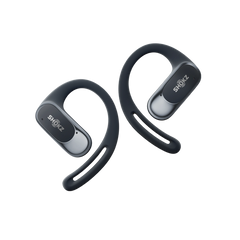
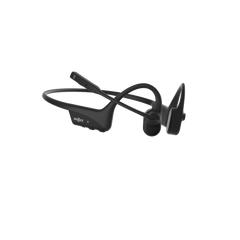
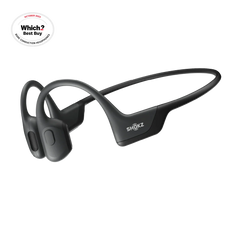
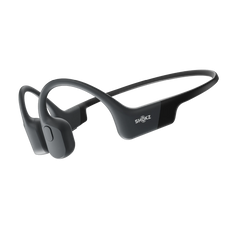
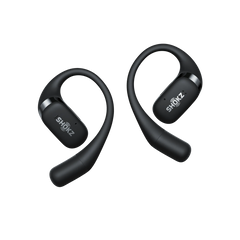
Pick 1: The Best Value For Most Android Users—Shokz OpenFit Pro
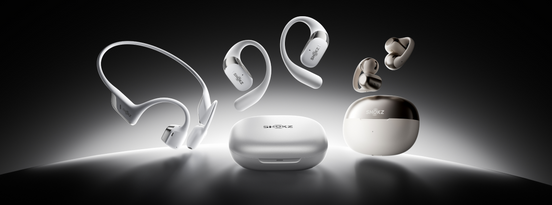
The OpenFit Pro is a clever bit of kit that blends an open-ear design with unexpectedly powerful audio. Instead of plugging your ear canal, these sit just outside it, allowing ambient noise to filter in naturally. They are brilliant for navigating busy London streets or staying approachable in a shared office.


Shokz addressed the usual "thin" sound of open-ear tech using their SuperBoost technology. When paired with Dolby Atmos, you get rich detail across all frequencies rather than the tinny output common in cheaper designs.
Android-specific highlights:
- Bluetooth 6.1: Maintains a rock-solid connection even in congested areas like train stations.
- AI-Powered Mics: Six microphones handle calls by automatically filtering out wind and background chatter.
- Massive Battery: You get 12 hours per charge with an extra 50 hours in the case.
- Dual Charging: Supports both USB-C and Qi wireless pads for convenience.
- App Customisation: The Shokz app offers five preset EQ modes and two custom slots to tailor your listening.
- Multipoint Pairing: Switches effortlessly between your Android handset and a laptop.
Physical buttons prevent accidental touches from touch-sensitive surfaces. IP55 water resistance handles sweat plus light rain. Weighing merely 12.3g per bud, they stay comfortable during marathon listening sessions. These suit anyone wanting brilliant sound quality whilst maintaining environmental awareness.
Pick 2: The Best Value For Clear Calls—OnePlus Buds 4
Built specifically around Android integration with seamless pairing plus rock-solid connections. Call quality takes priority through noise reduction cutting background noise by 49dB. Windy corners or bustling cafés, your voice stays clear. Dual-driver setup balances punchy bass with crisp highs.
- Fast Pair works instantly with Android 6.0+ devices
- 12.5mm bass driver plus separate tweeter avoids muddiness
- 43-hour total battery, 10 hours per charge, 33 more hours with case
- Golden Sound mode optimises for OnePlus devices
- IP55 rating survives daily weather plus gym sessions Brilliant for anyone taking calls whilst moving. Sound quality punches above the price point for podcasts or audiobooks.
Brilliant for anyone taking calls whilst moving. Sound quality punches above the price point for podcasts or audiobooks.
Pick 3: The Best Value For Noise Canceling—Anker Soundcore P40i
Impressive active noise cancellation at a fraction of major brand costs. Adaptive ANC automatically adjusts intensity, proving stronger on the Tube and lighter in offices. Six mics handle ANC plus calls. The Soundcore app includes a hearing test personalising EQ.
- Adaptive noise cancellation reaches 40dB reduction
- LDAC codec delivers high-resolution audio on compatible devices
- 60-hour total battery, 12 hours per charge, 48 more hours with case
- Multiple ear tip sizes prevent fatigue
Perfect for commuters, travellers, and anyone valuing silence on demand. The app works reliably across Android versions.
Pick 4: The Best Value For Gym And Outdoor Use—JBuds Sport ANC 4
Designed for movement with secure ear hooks locking them during runs, workouts, and cycling. IP67 waterproofing survives downpours plus dusty trails. Sport-tuned sound emphasises motivating bass whilst maintaining clarity.
- IP67 rating protects against water immersion plus dust
- 14-hour battery per charge handles multiple sessions
- Physical buttons work reliably with sweaty hands
- Cloud Foam ear tips reduce pressure
Bulkier than lifestyle earbuds, yet that bulk translates to stability. Suited for active users needing reliable performance regardless of conditions.
Pick 5: The Best Value For Battery And Daily Convenience—EarFun Air Pro 4
Practical features over flashy marketing. The Air Pro 4 balances solid performance across sound quality, ANC effectiveness, and battery longevity without excelling dramatically anywhere. Makes them excellent daily drivers simply working without thought. Adaptive ANC handles typical environments, while 11mm drivers produce enjoyable sound across genres.
- 52-hour total battery with ANC off (13 per charge, 39 from case)
- Bluetooth 5.4 maintains stable connections across longer distances
- Wireless charging adds convenience for users with charging pads
- Customisable touch controls through the EarFun app
Perfect for Android users wanting reliable, unfussy earbuds not demanding constant attention. Build quality exceeds the price point. The companion app works smoothly without excessive permissions requests.
Part 3. What To Look For In Good Earbuds For Android
Cutting through the marketing fluff is essential to find features that actually improve your daily listening.
1. Fit Comes First Because It Changes Sound And ANC
A proper seal is the foundation of any decent audio experience. If the fit is shoddy, ambient noise floods in and renders even the best ANC useless.
Beyond noise, fit dictates frequency response; loose buds inevitably sound thin and tinny, whilst an overly tight seal causes ear fatigue within an hour. Look for a generous selection of ear tip sizes. Conversely, open-ear designs sacrifice total isolation to give you a fatigue-free fit that never needs fiddling with.
2. Connection Basics That Prevent Daily Annoyance
Bluetooth 5.3 or newer is non-negotiable for stable signals in crowded city centres. Multipoint pairing is another "must-have" as it lets you switch between a mobile call and a laptop meeting without a hitch.
Google Fast Pair removes the tedious manual pairing process entirely. For the best sound, ensure your buds support high-res codecs like aptX or LDAC, provided your best earbud headphones for android supports them.
3. Sound Settings That Actually Help
Bespoke equaliser presets allow you to fix a sound profile in seconds. Heavy bass modes are great for the gym, but you’ll want a vocal-forward profile to make sense of podcasts on a noisy commute.
Spatial audio can add a bit of cinematic depth to films, though results are often hit-and-miss. A high-quality ambient mode is also vital for safety when you’re out on a run or navigating London traffic.
4. Battery Life That Lasts
Manufacturer battery claims are usually optimistic, as real-world usage often drops to 60 or 80 percent of the stated figures. Using ANC typically drains the battery by about a third. This makes fast-charging a critical feature; a quick 10-minute boost that provides two hours of playback is a lifesaver on the commute. Aim for a total case capacity of at least 20 hours to keep "low battery" anxiety at bay.

Part 4. Keep Your Best Earbud Headphones for Android Performing Like New
Simple maintenance is the only way to stop your kit from giving up the ghost early. Most hardware issues aren't down to bad luck; they’re just the result of basic neglect.
1. Clean Tips Weekly
Earwax and general grime are the main culprits behind muffled sound. Pop the tips off and give them a scrub with a bit of soapy water, then use a dry cotton bud on the actual speaker mesh. If you want a quick routine that won’t damage the drivers, this guide on how to clean your dirty headphones is a handy reference. Keep anything sharp like toothpicks well away from the drivers unless you want to puncture them. A quick wipe of the charging pins with a dry cloth is also a shout to keep the connection reliable.
2. Battery Health Check
Lithium cells are notoriously temperamental. If you constantly run them down to zero, you’re essentially fast-tracking them to the bin. Try to stay in the 20% to 80% "sweet spot" whenever you can. Also, if you’re heading off on holiday and leaving your buds behind for a fortnight, don't store them stone-dead or fully topped up; half-capacity is the way to go. Avoid leaving the case on a roasting dashboard as well, unless you want the battery to swell and give up the ghost.
3. Firmware and App Updates
Updating your firmware is usually a smart move to patch dodgy connections, but don't feel you have to be the first in line. It’s often better to wait a few days and let other people find the bugs before you hit that 'install' button. It’s also worth checking your Android OS is actually current, as an outdated phone is a primary cause of those annoying pairing hiccups. Keeping the companion app healthy ensures your custom settings don't just vanish into thin air.
Conclusion
Finding the best earbuds for Android is less about chasing empty specs and more about how the kit handles your daily routine. Real compatibility isn't just a basic Bluetooth handshake; it’s about having the right codec support and an app that actually stays open when you need it.
Whether you’re after the call clarity of the OnePlus Buds 4 or the clever open-ear awareness of the Shokz OpenFit Pro, the trick is to buy for your actual lifestyle rather than the marketing hype. Stick to the features that genuinely move the needle for your listening and ignore the rest of the faff.

FAQs About Best Android Earbuds
1. Do I Need Special Bluetooth Codecs For Great Sound?
Basic SBC works fine for casual listening, but AAC is the sweet spot for most Android handsets. While LDAC and aptX offer higher ceilings on newer phones, sound quality usually comes down to the actual driver hardware and tuning rather than just a codec label.
2. Are open or closed earbuds better for calls?
Closed buds isolate better, which helps the mics cut through the background din. However, newer open-ear kits like the Shokz OpenFit Pro handle call quality brilliantly whilst keeping you aware of your surroundings. Closed is better for a noisy pub; open-ear wins for safety and comfort.
3. Do I Need LDAC or aptX Lossless?
Only if your phone supports them and you're paying for high-res streaming services. For your typical Spotify session, AAC is plenty. These high-bitrate codecs drain batteries much faster, and most people can’t tell the difference during a noisy commute anyway.
4. How Long Should True-Wireless Batteries Last?
Expect 6 to 8 hours per charge with ANC active, or slightly more with it off. The total including the case should comfortably exceed 20 hours. The Shokz OpenFit Pro sets a proper benchmark with 50 hours total. Just remember that lithium cells degrade, so you'll lose some capacity after two years.
5. Do the best earbuds for Android work well with any Android phone?
Generally, yes. Core features like AAC, multipoint pairing, and app support work across Android 8.0 without any faff. You’ll need Android 6.0 or newer for Google Fast Pair. While some brands keep "pro" features for their own gear, these picks are solid universal drivers.