




There are few things more frustrating than having your music cut out mid-run, or losing audio on a call because your headphones dropped the connection again. If your cordless headphones keep disconnecting, there is almost always a fixable reason behind it.
So what exactly causes those annoying drop-outs and, more importantly, what can you do to stop them? Stay with us as we answer these questions.
What Are Cordless Headphones?
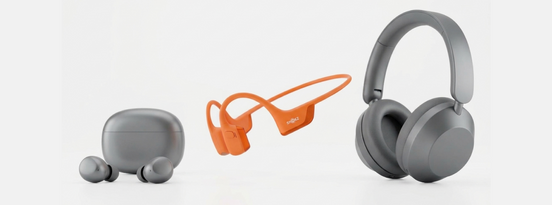
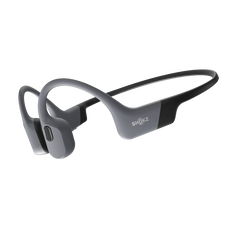
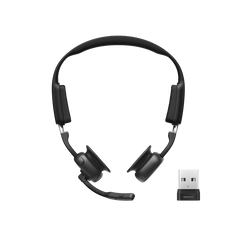
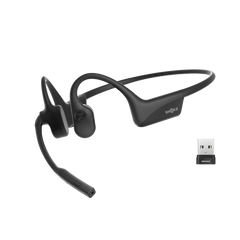
Before we get into the troubleshooting, what is a cordless headphones? Cordless headphones, also known as wireless headphones, are audio devices that connect to a sound source like a phone, laptop, or tablet, without any physical cable. They use wireless technology, most commonly Bluetooth, to transmit audio signals from your device to the headphones.
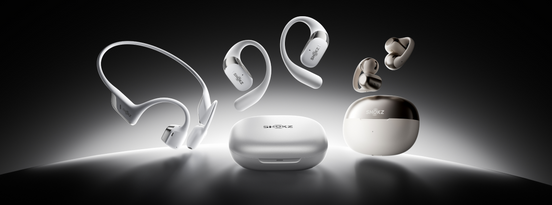
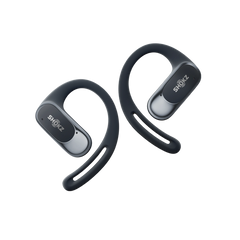
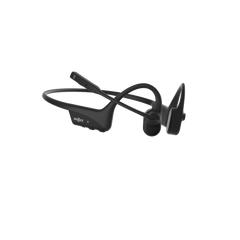
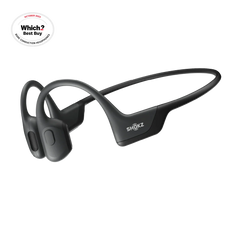
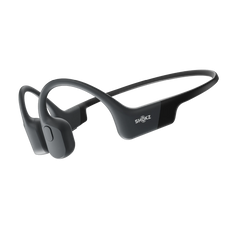
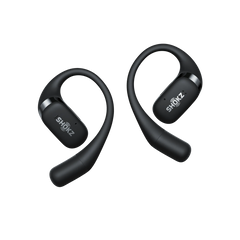
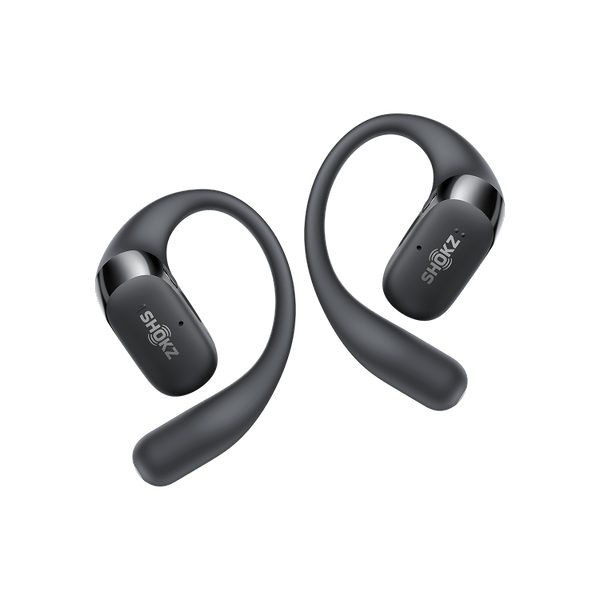
The category covers over-ear headphones, in-ear buds, clip-on designs, and open-ear styles. The Shokz OpenFit 2+ is in this category as a premium pair of open-ear true wireless earbuds. It pairs wirelessly via Bluetooth and keeps your ears uncovered for natural awareness, while you listen to a design that is especially popular with runners and commuters.

How Cordless Headphones Stay Connected
All modern cordless headphones rely on Bluetooth to stay connected to your device. Bluetooth works by sending short-range radio waves between a transmitter (your phone or laptop) and a receiver (your headphones). The two devices pair once, then recognise each other automatically on future connections.
Most headphones today use Bluetooth 5.0 or higher, which offers a theoretical range of up to 30 metres in open space. In practice, walls, furniture, and other wireless signals cut that range down considerably. The connection is also sensitive to the number of active wireless devices nearby, the position of the paired device, and the power level of the headphones themselves.
This is why disconnections are so common in busy environments, offices, gyms, and busy streets, and why you are much less likely to experience them at home in a quiet room.
Common Reasons Cordless Headphones Keep Disconnecting
Here are the most common reasons cordless headphones disconnect:
Distance Between Headphones and Device
Bluetooth has a limited range, and the connection starts to weaken as you move further from your device. Even within the stated range, obstacles like concrete walls or metal structures can cause the signal to drop.
Low Battery Levels
As the battery drains, the headphones have less power to maintain a strong Bluetooth signal, which can cause the connection to become unstable or drop out entirely. In some cases, headphones will disconnect as a warning before shutting off completely.
This is worth keeping in mind if your drop-outs tend to happen late in a listening session. The OpenFit 2+ offers up to 48 hours of total playback with the charging case, so it’s unlikely that you run low mid-day, but older headphones or models with shorter battery life can struggle.


Wireless Interference
Bluetooth operates on the 2.4 GHz frequency band, which is shared with Wi-Fi routers, microwaves, baby monitors, and many other wireless devices. In areas with heavy wireless activity, such as busy offices, airports, and train stations, the band gets congested, and your Bluetooth signal can get interrupted.
Software or Firmware Issues
Headphones, like any connected device, run on software. Bugs in the firmware can cause all sorts of connectivity issues, from random disconnections to difficulty pairing in the first place. Manufacturers regularly release firmware updates to patch these problems. Similarly, if your phone or laptop is running an outdated operating system, it may not communicate cleanly with newer Bluetooth hardware.
Device Compatibility Problems
Not all Bluetooth devices work perfectly together. Older phones running legacy Bluetooth versions may struggle to maintain a stable connection with newer headphones that use advanced audio codecs. In some cases, the issue is simply that the two devices are not fully compatible.
Physical Damage or Hardware Faults
Internal hardware damage can mimic all the symptoms of a software problem. If the Bluetooth antenna inside your headphones has been damaged, through a drop, water exposure beyond the rated protection, or just general wear, the connection will be unreliable regardless of what you try on the software side.
Too Many Connected Devices
Many modern cordless headphones support multipoint connectivity, meaning they can be paired with several devices at once. This is useful, but it can also cause instability if the headphones are trying to stay connected to multiple active devices simultaneously.
If your headphones are paired with your phone, laptop, and tablet, all three may be competing for the connection, particularly if all three have Bluetooth switched on and active. The headphones can get confused about which device is the priority, which leads to drop-outs.
Quick Fixes for Frequent Disconnections
Now for the practical side. Most disconnection problems can be resolved with one or more of the following steps.
Basic Troubleshooting Steps
Start with the basics before trying anything more involved.
Toggle Bluetooth off and back on again on your device. This refreshes the connection and clears minor glitches. Then restart both your headphones and the device you are pairing them with. Simply restarting your devices resolves a surprising number of issues.
If the problem persists, try forgetting the headphones in your device's Bluetooth settings and pairing them again from scratch. Go to your Bluetooth menu, find the headphones in the list of paired devices, select "Forget" or "Remove," then pair them as if for the first time. This clears any corrupted pairing data that might be causing instability.
Also check that no other nearby device is connected to your headphones without you realising. A laptop you paired with weeks ago might be automatically connecting in the background and interfering.
Battery and Charging Solutions
Keep your headphones charged well above the 20% mark. Make it a habit to top them up regularly rather than waiting for the battery to run low. If you notice disconnections consistently happening at lower charge levels, that is a sign the battery is the issue.
Good charging habits also extend the lifespan of the battery over time. Avoid leaving headphones on charge overnight repeatedly, and try to store them at roughly 40% to 80% charge if you are not using them for a while.
Reducing Signal Interference
If interference is causing your disconnections, changing your environment or position often helps. Try keeping your paired device in a pocket closer to your ears rather than in a bag. Move away from routers, microwaves, and other wireless devices if you can.
In very congested wireless environments, switching your Wi-Fi router to the 5 GHz band (if your router supports it) also reduces the competition on the 2.4 GHz band that Bluetooth uses. This can help with disconnections in busy households or open-plan offices.
Updating Software and Firmware
Check for firmware updates for your headphones through the manufacturer's app. For Shokz headphones, this is done through the Shokz app, which is available on iOS and Android. Updates are released regularly and often contain specific fixes for Bluetooth stability.
At the same time, make sure your phone or laptop is running the latest operating system version. Bluetooth performance improvements are frequently included in OS updates, and staying up to date means you are less likely to run into compatibility issues.
Advanced Solutions If Problems Persist
If the steps above have not resolved things, it is time to go a bit further.
- Factory reset your headphones: Most headphones have a reset procedure that restores them to their original settings. This clears all saved pairings and often resolves deep-seated software glitches. Check the manual or the manufacturer's website for the exact steps, as the process varies by model.
- Test your headphones with a completely different device: If they connect and stay connected without any issues on a different phone or laptop, the problem is with your original device rather than the headphones. At that point, checking your device's Bluetooth settings, clearing its Bluetooth cache (on Android), or even factory resetting the device may be necessary.
- Reduce your active pairings: If your headphones are saved to many devices, go through and remove the ones you no longer use. Keeping the list of paired devices small reduces the chances of connection conflicts.
When to Replace Your Cordless Headphones
There comes a point where a pair of headphones is simply past its useful life, and recognising that early saves you a lot of time troubleshooting.
Signs that hardware failure is likely permanent include:
- disconnections that happen immediately after pairing, regardless of device,
- physical damage visible around the earpiece or at connection points,
- a battery that drops from full to empty in a fraction of the expected time, and
- connection issues that persist even after a full factory reset and testing on multiple devices.
Before replacing, check your warranty. Most reputable manufacturers offer at least a one-year warranty as standard, and Shokz provides warranty coverage across our product range. If your headphones are within the warranty period and you are experiencing a genuine fault, a repair or replacement may be covered.
If a repair costs more than half the price of a new pair, replacement is usually the better investment, especially given how quickly the technology improves. A newer model will likely have better Bluetooth stability, improved battery life, and more features than a repaired older pair.
If you are considering an upgrade, it is worth looking at open-ear earbuds. Headphones like the OpenFit 2+ are built around comfort and long-term wear, with features like four AI-powered noise-cancelling mics for clear calls, up to 48 hours of total playback, wireless charging, and IP55 sweat and water resistance. If constant disconnections have pushed you to the point of replacing your current pair, it is a good opportunity to upgrade to something more reliable. You can also explore the full Shokz product range to find the right fit for your lifestyle.

Final Thoughts
Disconnections are irritating, but they are rarely hard to fix. In most cases, the problem is due to distance, interference, battery level, or a simple software glitch, and all of those have straightforward solutions. Working through the steps in this guide in order will resolve the issue for the vast majority of people.
Where hardware damage is involved, a factory reset and multi-device test will help you confirm it, and a warranty claim or replacement is usually the sensible next step.
The good news is that modern cordless headphones, when working properly, are reliable. With the right habits and a bit of maintenance, you should be able to keep your connection rock-solid for years.
Frequently Asked Questions
How far can cordless headphones work without disconnecting?
Most modern cordless headphones have a Bluetooth range of up to 10 metres in practical, everyday conditions; walls, furniture, and other wireless signals all reduce the theoretical maximum. For the most stable connection, keeping your paired device within 5 to 10 metres and in line of sight is a good rule of thumb. Some higher-end models may perform reliably at greater distances, but staying close is always the safer bet.
Can Wi-Fi interfere with cordless headphones?
Yes, it can. Bluetooth and Wi-Fi both operate on the 2.4 GHz frequency band, so in environments with multiple active Wi-Fi networks, like a flat with several routers nearby, or a busy office, the band can become congested and cause Bluetooth instability. Switching your router to the 5 GHz band reduces this conflict significantly, and keeping your paired device close to your headphones also helps.
Does a low battery cause cordless headphones to disconnect?
It does. When a battery is running low, the headphones have less power available to maintain a strong Bluetooth signal. This makes the connection more likely to drop or become unstable, particularly at the end of a long listening session. Keeping your headphones charged and topping them up regularly is one of the simplest ways to avoid this.
Why do my headphones disconnect when connected to multiple devices?
Multipoint connectivity lets headphones stay paired to more than one device at a time, which can cause overload when multiple devices are actively searching for the Bluetooth connection simultaneously. The headphones can receive competing connection requests and struggle to stay locked onto one device. Reducing the number of active paired devices, or turning Bluetooth off on devices you are not currently using, usually resolves this.