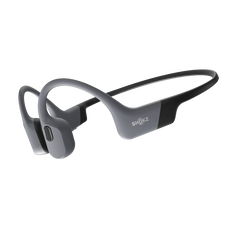


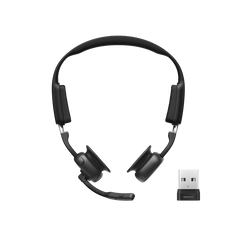
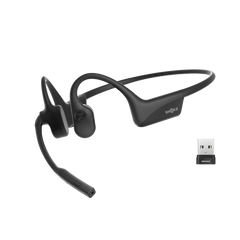



Working from home can be great, but it has its own considerations. You have video calls, back-to-back meetings, noisy household environments, and the constant need to switch between your phone and laptop.
One of the simplest upgrades you can make to your setup is a good pair of wireless headphones. The right pair can genuinely change how productive and comfortable your workday feels.
This guide covers the best ways to use wireless headphones for remote work, how to pick the right pair, and how to get the most out of them once you do.
Benefits of Using Wireless Headphones for Remote Work and Online Meetings
Investing in wireless headphones offers several advantages to remote workers and people who take online meetings, including:
Creating a Distraction-Free Home Office
One of the biggest challenges of working from home is the background noise. A neighbour's lawnmower, a loud upstairs flatmate, or even the ambient hum of a busy street can affect your concentration. Wireless headphones, especially those with active noise cancellation, give you a way to block out that noise without having to soundproof your entire home.
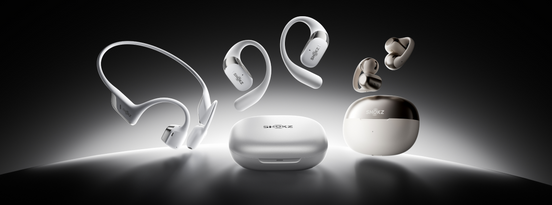
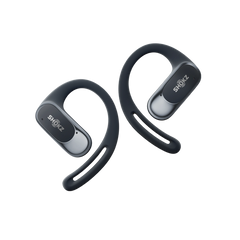
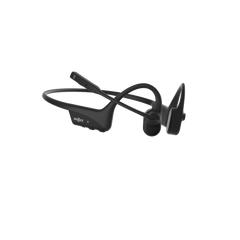
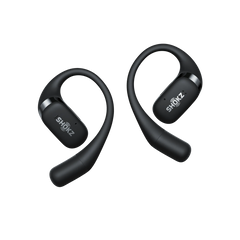
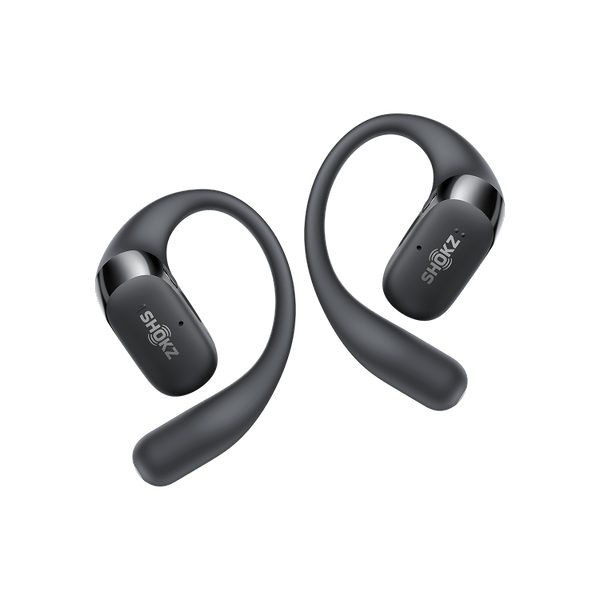
And if you don’t want to be completely cut off from what's happening around you, maybe you have kids at home, or you just prefer to stay aware while you work, an open-ear headphone can be a smarter choice. Products like the Shokz OpenFit 2+ are built around this idea. You get quality audio through an open-ear design that keeps you connected to your surroundings without forcing you to choose between sound and safety.
Improving Audio Quality in Online Meetings
Audio quality matters on calls because you don’t want people to constantly ask you to repeat yourself, and you want to hear the person on the other end clearly. Wireless headphones with mic can help here. A good built-in mic picks up your voice clearly and filters out background noise.
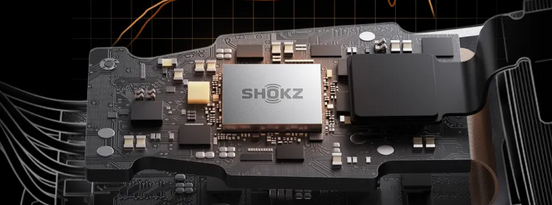
The OpenFit 2+, for instance, comes with four AI-powered noise-cancelling mics. That means your voice comes through clearly, even if there's noise in the room.
Staying Mobile During Calls
You enjoy greater freedom of movement when using wireless headphones. With wired headphones, you're basically tethered to your desk. If you need to grab a glass of water, pace while thinking, or pop to another room mid-call, you're either yanking something out or dragging your laptop along.
Wireless headphones let you move naturally. You can walk around your home office, pace while you think, or simply lean back in your chair without worrying about pulling something out.
Cleaner, Cable-Free Workspace
This one sounds minor, but it’s a big deal. Cables on a desk make everything feel messier, and an untidy desk can affect focus. Going wireless removes one more thing from the clutter. There's no cable to tangle with your mouse, no wire getting caught under your wrist as you type, and nothing to unplug when you want to step away.
Compatibility with Multiple Devices
Most remote workers switch between devices a lot. You might be on a video call from your laptop, then get a phone call you need to take, then flick over to your tablet for a reference document. Wireless headphones with multipoint Bluetooth connectivity handle all of this without drama.
With multipoint, you can stay connected to two devices at once. So when your phone rings while you're working on your laptop, you can answer it without disconnecting and reconnecting anything.

How to Choose the Right Wireless Headphones for Remote Work
Here are the factors you should consider before buying wireless headphones suitable for remote work:
Key Features to Look For
Not all wireless headphones are suited to the demands of a working day. Here's what to pay attention to before you buy.
- Active Noise Cancellation (ANC): This is worth having if you work in a noisy space. It uses microphones to pick up ambient sounds and cancels them out before they reach your ears. It's particularly effective against low-frequency sounds like traffic hum, air conditioning, and background chatter.
- Microphone quality: This is just as important as sound quality, especially for people who take calls frequently. Look for wireless headphones with mic features that include noise reduction or AI filtering.
- Battery life: If you're on calls for five or six hours a day, a pair of earbuds that runs out after three hours is going to be a problem. Look for at least eight to twelve hours of single-charge playback. The OpenFit 2+ gives you up to eleven hours from the earbuds alone, with up to 48 hours of total playback when you include the charging case.
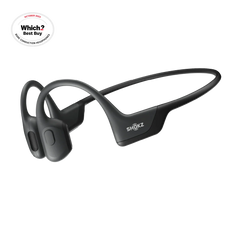
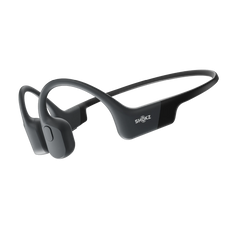
- Comfort for extended wear: This is something people often underestimate until they've been wearing a pair for three hours and their ears are aching. Pay attention to the weight, the material of the ear hooks or cushions, and the overall shape. Open-ear designs like the Shokz OpenFit Pro don't sit inside your ear canal at all, which removes the pressure most in-ear designs create over time. The OpenFit 2+ uses Shokz Ultra-Soft Silicone™ 2.0, which keeps things comfortable across a full working day.
- Multipoint Bluetooth connectivity: This feature lets you connect to two devices simultaneously. It's one of those features that becomes very hard to live without once you're used to it.


Types of Wireless Headphones
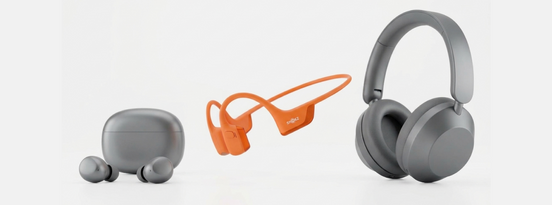
- Over-ear wireless headphones: They cover the entire ear with large cushioned cups. They're great for noise isolation and audio quality, and they typically have long battery lives. The downside is that they're heavy, warm after extended wear, and not ideal if you need to stay aware of your surroundings.
- On-ear wireless headphones: They sit on top of the ear rather than wrapping around it. They're smaller and lighter than over-ear models, but the fit can become uncomfortable over time as they press against the ear.
- Open-ear wireless earbuds: Rather than sitting inside or over the ear, they use speaker units that angle sound towards the ear canal from the outside. You hear your audio clearly while the world around you stays audible too. Open-ear headphones for the workplace are particularly good for people who work from home and need to stay aware, whether that's for safety, for family, or just to avoid that shut-off feeling you get with traditional in-ear headphones.
Budget Considerations
The good news is that you don't need to spend a fortune to get a functional pair for work, as there are solid options at an affordable price. That said, if you're spending six or more hours a day in headphones, investing in something more comfortable and durable tends to pay off quickly.
Premium products like the OpenFit 2+ cost more upfront, but the combination of all-day comfort, long battery life, wireless charging, and AI call quality means you're less likely to find yourself compromising during the working day.
How to Set Up Your Wireless Headphones for Optimal Performance
Here are a few steps to optimise the performance of your wireless headphones for remote work:
- Use multipoint Bluetooth: If your headphones allow for it, use the multipoint Bluetooth feature to connect to more than one device at once. Once you've paired both devices, your headphones can switch automatically between these devices. It's worth checking that both devices are updated and that Bluetooth is enabled on both before you start.
- Adjust EQ settings for voice clarity: Most companion apps let you choose between preset audio profiles. For calls, a setting that boosts mid-range frequencies (where voices sit) and reduces heavy bass will usually give you clearer call audio.
- Configure headphones as the default audio device: Setting this feature in your OS means you don’t have to select them manually each time. On Windows, go to Settings > System > Sound and set your headphones as both the output and input device. On macOS, it's under System Settings > Sound. Do this once, and your laptop will automatically route audio through your headphones whenever they're connected.
- Platform-specific tips: On Windows, check the sound control panel for microphone levels and make sure your headphones are set as the default communication device separately, as Windows sometimes treats this differently from the regular audio output. On macOS, Bluetooth performance can improve if you disconnect other nearby Bluetooth devices that aren't in use.
Maintaining and Caring for Your Wireless Headphones
Good headphones can last for years if you look after them properly. Here's how to keep yours in the best shape:
- Clean ear cushions and microphone areas regularly: This stops oil, sweat, and dust from building up. For open-ear headphones, a soft, dry cloth is usually enough for the main body. Avoid using wet wipes or sprays directly on the microphone openings, as moisture can damage the insides. A dry cotton swab works well for getting into smaller areas.
- Employ proper charging habits: Avoid leaving headphones plugged in overnight every single night once they're at 100%. Lithium batteries last longer when they're kept between around 20% and 80% charge.
- Store your headphones safely: Keep them in their case or a dedicated pouch rather than loose in a bag where they can get knocked around or tangled with other items. The charging case does double duty as a protective case here.
- Firmware updates and software maintenance: Updates often include improvements to call quality, battery management, and Bluetooth stability. It only takes a minute or two, and it's worth doing when prompted.
- When to replace ear pads and accessories: Open-ear headphone designs typically don't have replaceable ear cushions in the traditional sense, but if the silicone ear hooks start to feel less comfortable or show signs of wear, it's worth checking with the brand directly about replacement options. For over-ear and in-ear models, ear pad replacements are often available and usually easy to fit yourself.

Final Thoughts
Switching from wired headphones to wireless is one of the best upgrades you can make to your remote work setup, and the benefits show up immediately. More freedom to move, cleaner audio on calls, no cable clutter, and the ability to stay connected across multiple devices throughout the day.
The Shokz OpenFit 2+ is a particularly strong choice for remote workers. As an open-ear earbud, it keeps you aware of your environment without cutting you off from your audio, the battery runs long enough to cover a full working day, and then some, and the four AI-powered mics are great for noisy environments.
Frequently Asked Questions
Are wireless headphones better than wired ones for remote work?
For most remote workers, yes. The freedom of movement alone makes a noticeable difference to how comfortable a long workday feels. Wired headphones can still deliver excellent audio quality, but the lack of freedom becomes an issue the longer you're wearing them.
Are wireless headphones comfortable enough for all-day work use?
It depends on the design. Traditional in-ear headphones can create pressure and fatigue after a few hours. Over-ear models can feel warm and heavy. Open-ear wireless headphones tend to sit more comfortably for extended wear because they don't press against or inside the ear.
How can I avoid battery issues during long workdays?
Charge your earbuds the night before rather than relying on top-ups during the day. If your headphones come with a case that holds additional charge, keep the case charged too, so you can top up quickly between meetings. For most people, eleven-plus hours of single-charge battery life is more than enough to cover a standard working day.
What features should remote workers prioritise in wireless headphones?
Start with microphone quality and battery life, since those affect your calls and your ability to stay connected throughout the day. After that, comfort for extended wear and multipoint Bluetooth connectivity are the next most impactful features. You should also consider active noise cancellation features if you stay in a noisy environment.